
TODAY
NBC News Digital LLCNews & Magazines
3.6990.00 Reviews
- Version
- 2.1.4
- Installs
- 500.00K
- Age Rating
- Teen
Screenshots

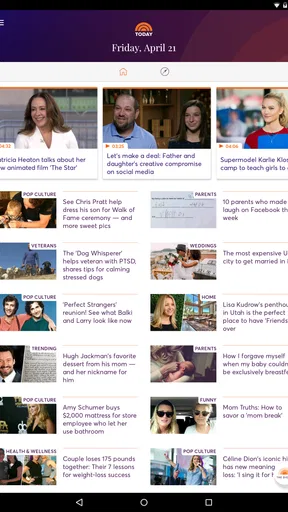
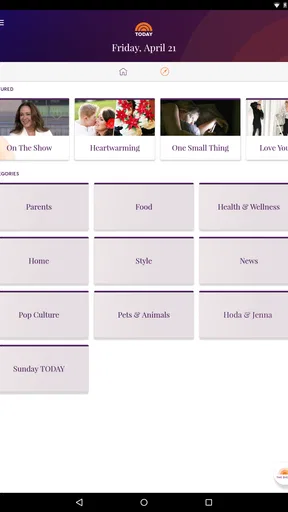

Our Review of TODAY
 Analysis by Appyee
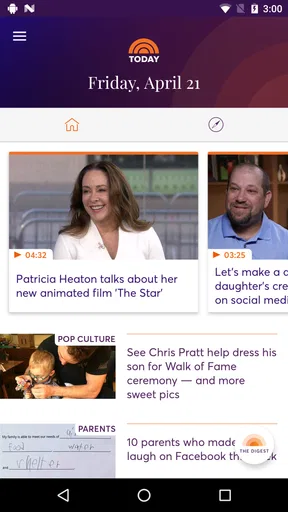
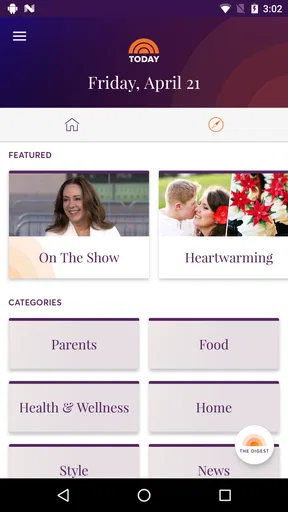
I spent time with TODAY as a mobile news and magazine app, and my impression is that it works best as a quick companion to the TODAY brand rather than as a complete replacement for a broad news reader. It is free, aimed at a Teen audience, and developed by NBC News Digital LLC. The central appeal is simple: open it when you want a fast mix of familiar TODAY-style coverage, lifestyle material, and current stories without committing to a long reading session.
That simplicity matters on a phone. I could imagine using it while having breakfast, waiting for an appointment, or taking a short break from work. The experience is built around checking in repeatedly instead of sitting down for a deep, uninterrupted reading session. That makes the app approachable, but it also means its usefulness depends heavily on having a working connection at the moment I want to browse.
How TODAY feels when the connection is doing the work
The first thing I noticed is how much the app’s value comes from fresh content. A news application is not just a collection of articles; it is a changing stream. When the network is available, that stream makes the app feel timely and alive. I can open it, scan what has changed, and decide which item deserves attention. The experience is especially natural for readers who prefer short visits throughout the day rather than one large evening catch-up.
That network dependence also creates a clear boundary. If the connection is slow, the app becomes less satisfying because the point of opening it is usually to see current material quickly. A delayed image, a page that takes time to appear, or a feed that has not refreshed can turn a convenient check-in into a small exercise in patience. I would not choose this as my only source of information in a situation where immediate access is essential.
For ordinary use, I found it helpful to treat the app as a starting point. I would scan the available stories, open the pieces that matched my interests, and then stop rather than trying to consume everything. This approach suits the TODAY identity better than expecting a dense, highly customizable news dashboard. The app feels more comfortable when I let it guide a short visit instead of demanding complete control over every topic.
One practical habit makes a difference: open it when you have a stable connection, rather than waiting until you are already moving through a weak-signal area. That sounds obvious, but it changes the rhythm of use. A few seconds spent browsing before leaving home can be more pleasant than trying to load several items while walking between buildings or sitting on public transport.
Short visits work better than forced deep reading
I see the strongest use case in small moments. Suppose I am drinking coffee before work and want something more substantial than a social-media headline but less demanding than a full newspaper. TODAY fits that gap. I can look through the current selection, read one or two pieces, and close the app without feeling that I have abandoned a complicated reading plan.
It is also useful for readers who enjoy a blend of news and lifestyle coverage. Someone looking only for hard, rapidly developing headlines may find the experience too centered on the broader TODAY style. On the other hand, a reader who wants a warmer, more general-interest visit may appreciate not having to assemble that mix manually from several separate sources.
The trade-off is focus. A specialist news app will usually be better for someone following one subject closely, such as financial markets, local reporting, technology, or international developments. A general web search can be better when I already know exactly what I want. TODAY makes more sense when I want to browse a curated-feeling selection and discover something relevant along the way.
Using it in real mobile situations
On a phone, context changes how much patience I have. At home on a reliable network, I can open a story and give it proper attention. In a crowded station or a building with inconsistent reception, I am more likely to skim and leave. That is not necessarily a flaw unique to this app; it is the natural result of pairing a current-content service with mobile connectivity. Still, it is important to understand before making it part of a daily routine.
My preferred workflow is to check the app during a calm moment, choose one item, and read it before switching tasks. Trying to browse while multitasking makes the experience feel fragmented. If I am carrying groceries, navigating somewhere, or repeatedly locking and unlocking my phone, a quick headline check is realistic, but a full article is not. The app is most enjoyable when the short visit is intentional.
Another useful distinction is between discovery and reference. TODAY is convenient for discovering what deserves my attention. It is less convenient as a personal archive or research tool. If I need to compare many articles, track a story over a long period, or build a detailed record of sources, I would turn to a more specialized news service or use a browser alongside it. The app’s strength is the immediate visit, not an elaborate research workflow.
The app’s current version is 2.1.4, and it supports devices running Android 5.0 or newer. That broad minimum requirement makes it accessible to people using older compatible Android phones, although the experience can still vary depending on the phone’s performance and the quality of its connection. On a smaller or slower device, I would be more sensitive to loading delays because the whole appeal is quick access.
What happens when connectivity breaks
The most important limitation is not complicated navigation; it is the possibility that content will not load when I need it. A weak signal can interrupt the basic cycle of opening the app, seeing current material, and reading it. In those moments, I do not want to keep tapping the same item repeatedly. My practical response is to wait for a better connection, close the app, and return later rather than treating the delay as a problem I can solve through endless refreshing.
Recovery is easiest when I keep expectations modest. If an article does not appear immediately, I first check whether other phone activity is also slow. If everything else is struggling, the issue is probably the network environment rather than the app itself. Moving to a stronger signal or trying again later is more productive than judging the entire service from one poor reception area.
This is where TODAY differs from reading material that is already stored on a device. A downloaded magazine, saved article, or dedicated offline reading service is more dependable for flights, underground travel, rural routes, and other places where connectivity is uncertain. I would choose one of those alternatives if uninterrupted reading mattered more than receiving a current selection.
There is also a recovery habit that helps with mobile data: avoid opening several stories at once while the signal is unstable. I found that a single deliberate attempt is easier to manage than creating a queue of pages that may all stall. When the connection improves, I can return to the app and continue with a clearer idea of what I actually wanted to read.
Managing the app when mobile data matters
Because this is a content-focused app, images and article pages can make a mobile visit more demanding than a simple text-only headline list. I would use it freely on Wi-Fi and be more selective on a limited mobile plan. Instead of opening every item, I would scan the available choices first and select only the stories that genuinely interest me.
That selective approach has another benefit: it keeps the app from becoming background noise. Constantly loading and skimming everything can make a news feed feel overwhelming, especially when I only have a few minutes. Choosing one or two pieces gives the visit a purpose and makes the app feel lighter, even though the content itself is designed to change throughout the day.
I would also avoid relying on it during a trip where data costs or signal quality are major concerns. In that situation, a service built around deliberately saved reading would be more suitable. TODAY is better for connected routines: home Wi-Fi, an office network, a café, or a dependable mobile signal. That is not a reason to reject it, but it is a reason to place it correctly in my app collection.
For families, the Teen content rating is worth noticing before installing it on a shared device. It signals that the app is not positioned as a child-focused reading space. Adults should decide whether the mix of news and magazine-style material fits the younger person who will use the phone, rather than assuming that a familiar television brand automatically makes every item suitable for every age.
Where it stands beside familiar alternatives
Compared with a general news aggregator, TODAY feels more focused around a recognizable editorial personality. An aggregator may offer a wider range of publishers, stronger topic controls, or more ways to compare different perspectives. I would choose that kind of app when breadth and customization are my priorities. TODAY is more appealing when I prefer a simpler destination with a particular tone and a manageable browsing experience.
Compared with visiting the TODAY website in a browser, the app is more convenient for a repeat habit because it has a dedicated place on the phone. The advantage is psychological as much as practical: I can open one familiar app instead of starting a browser session and searching again. The browser remains useful when I need to share, compare, or move between several sources, so I would not treat the app as a total replacement.
Compared with a newspaper subscription app, TODAY is the more approachable choice for someone who wants free access and casual reading. A paid publication may offer deeper reporting, stronger archives, or a more structured daily edition, depending on the service. I would not select TODAY expecting the same depth or research value. I would select it for accessible, general-interest visits that fit naturally into spare moments.
Its audience size suggests that it has found a meaningful place among mobile readers: the app has passed half a million installs, with an average rating of 3.6 from around four thousand ratings. I read that as a sign of a recognizable but mixed experience rather than universal approval. The rating does not decide my opinion, but it matches my own conclusion that the app is useful when its simple, connected format matches the reader’s habits.
Who should install it, and who should skip it?
I would recommend TODAY to someone who already enjoys the TODAY style and wants a convenient mobile way to check news and magazine content. It is also a reasonable choice for casual readers who want a free app that can fill short breaks without requiring a complicated setup. The app is easy to understand conceptually: open it, browse what is available, and read what catches your attention.
I would be more cautious recommending it to a reader who needs comprehensive coverage, local reporting, specialist analysis, or dependable access in places with weak connectivity. That person may be happier with a dedicated news aggregator, a publication focused on a specific subject, or an offline reading tool. If the main requirement is a complete personal news system with extensive filtering and long-term organization, TODAY may feel too limited.
It is also not my first choice for a long reading session. When I want to investigate a complicated subject, compare multiple viewpoints, or keep a large set of articles organized, I prefer tools designed around those tasks. TODAY works better as the first stop in a reading routine than as the entire routine.
My practical verdict on the connected experience
After using it as a normal phone app, I see TODAY as a convenient, free entry point into general-interest news and magazine reading. Its best moments happen when I have a stable connection and only a few minutes to spare. The app gives me an easy way to check what is available, choose something appealing, and move on with my day.
The main compromise is clear: the experience is tied to the quality of the network around me. I would not depend on it as my sole reading option during travel, weak-signal commutes, or any situation where I cannot afford loading delays. I would pair it with another source if I needed specialist coverage or a more dependable reading archive.
For the right reader, that limitation is manageable. I would keep it for connected, casual check-ins rather than demanding that it serve every news need. My recommendation is positive for people who want a familiar TODAY-style mobile visit, but conditional for anyone who needs deep coverage, extensive control, or reliable reading away from a network.
In short, the app earns its place through convenience and accessibility, not through an ambitious toolset. It is free, available for Android devices from Android 5.0 onward, and carries a Teen rating. If your normal routine includes reliable Wi-Fi or mobile data and you enjoy browsing a general-interest selection, it is worth trying. If connectivity is unpredictable or you want a full-featured news command center, another option will probably serve you better.
Verdict
Strengths of TODAY
- Clean interface makes daily planning quick and easy.
- Personalized content helps users discover relevant updates.
- Fast loading times provide a smooth browsing experience.
- Useful reminders encourage users to stay informed throughout the day.
- Available on major mobile platforms for convenient access.
Limitations of TODAY
- Some features may require an account or subscription.
- Content quality can vary depending on the selected interests.
- Notifications may become excessive without careful customization.
- Offline access is limited when there is no internet connection.
- Battery and data usage may increase during frequent use.
Other Releases by NBC News Digital LLC
View All
NBC News: Breaking News & Live
News & Magazines4.4
Similar Picks in This Category
View All
Google News - Daily Headlines
Google LLC4.0

X
X Corp.4.8

Flipboard:Your Social Magazine
Flipboard3.4

Opera News: breaking & local
Opera4.5

Hindi News by Dainik Bhaskar
Dainik Bhaskar Group4.0

Way2News Daily News App
Way2News ( Formerly Way2SMS )4.6
Frequently Asked Questions
What is TODAY, and what can I use it for?
TODAY is a lifestyle and information app designed to bring useful content, daily inspiration, and practical features together in one place. Depending on the version available in your region, it may include news, entertainment, wellness, recipes, shopping ideas, videos, and personalized recommendations. Its main value is convenience: instead of visiting several websites or services, you can browse a variety of regularly updated content from a single mobile application.
Is the TODAY app free to download and use?
The TODAY app is generally free to download, and many of its articles, videos, recipes, and lifestyle features can be accessed without paying. However, availability may vary by country, platform, and content provider. Some features could require an account, a subscription, or access through a participating television or service provider. Before downloading, check the app-store listing for current pricing, in-app purchases, and regional restrictions.
Does TODAY require an account or personal information?
You can often browse at least some TODAY content without creating an account, but signing in may unlock additional functions such as saving articles, bookmarking recipes, receiving personalized recommendations, or subscribing to newsletters and alerts. Registration may involve an email address or other basic information. Review the privacy policy and permission requests carefully, especially if you prefer not to share data used for personalization, analytics, or marketing.
Can I use TODAY without an internet connection?
TODAY is primarily an online application, so an internet connection is normally required to load articles, videos, images, recipes, and current updates. Previously opened content may remain temporarily available through your device’s cache, but this should not be considered a full offline mode. Video streaming can also consume significant mobile data, so using Wi-Fi is recommended when browsing frequently or watching longer programs.
Is TODAY suitable for all users, and are there any important limitations?
TODAY is generally easy to navigate and suitable for adults interested in news, entertainment, food, health, and everyday lifestyle content. Nevertheless, some articles or videos may include mature themes, advertising, sponsored material, or health and financial information that should not replace professional advice. Content, features, notifications, and privacy options can differ by location, device, and operating-system version, so check the latest store requirements before installing.
